 SeekCast
PLAYBACK GUIDE
It plays.
But will it seek?
A video can start successfully and still be unable to jump to another point.
Not in the store yet. SeekCast 0.3.1 has been submitted for US Samsung TV review. No public installation or launch date is available. Follow launch status →
First, identify the receiver
If your phone is casting to the TV's built-in receiver, its playback behavior belongs to that receiver. SeekCast is a separate TV app: it must be installed and open, and the phone must select SeekCast TV. Installing another app does not change the built-in receiver.
Check what kind of video you are watching
A finite on-demand video with a supported source is a better seeking test than a live stream. The source must make the requested position available, and the TV's player must support the format. The presence of a progress bar alone cannot guarantee that a jump will succeed.
If one video seeks and another does not, compare the sources before concluding that the remote or phone is broken. Protected sources and service restrictions are outside SeekCast's scope.
Use the TV controls
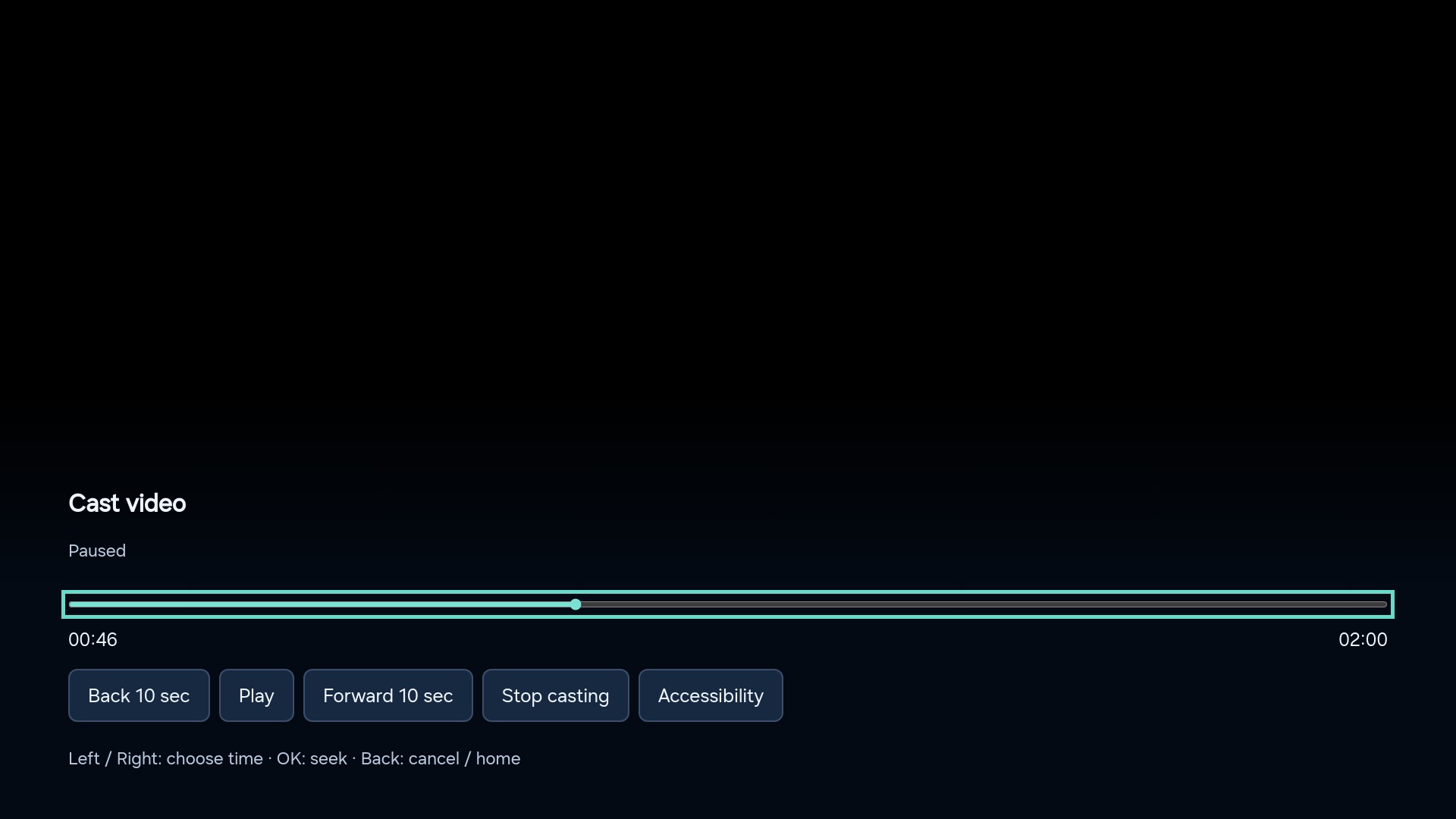
Once casting to SeekCast, use the remote's Left/Right buttons to choose a position, then press OK to perform the jump. Back cancels the preview. You can also use the on-screen Back 10 sec and Forward 10 sec actions.
Separate phone controls from TV controls
If the TV remote seeks successfully but the phone's slider does not, the phone app's control behavior may be involved. If neither can seek, check the source and TV format support. Restart the cast with a known playable, unprotected test video, then compare results.
What SeekCast can and cannot change
SeekCast provides a separate DLNA receiver and explicit playback controls on the TV. It cannot make every live stream seekable, add AirPlay or Chromecast support, or bypass protected video. The practical test is your own phone app and videos during the trial after release.
Useful details for support
- TV model/year and SeekCast version.
- Phone model, operating system and video app name.
- Whether play, pause and seek work separately on the phone and TV.
- Whether the problem affects all videos or just one source.
Send these to hzlinj@126.com. Do not include account passwords or private media links.
Review the casting steps →